-
- Posted by Melanie
- 24 March 2010
- Checkout, E-Commerce Design, Ecommerce Marketing

Ecommerce Deal Breakers
So what is a deal breaker? Simple, these are the things in your cart that shoppers fret about, thus causing them not to make a purchase. So while every shopping cart, product and website is different, there are some very common factors which cause your shoppers to leave. Let's address them and some of the solutions you can use to set your shopper's minds at ease.
We are going to address these issues in a common navigational flow, so that you get a feel for the entire process.
Step 1 Landing Page:
Certainly many people do land on your main page, but usually not as many as your other pages combined. So treating only your main page with some TLC will certainly do nothing for the majority of your customers.
Landing Page Factors:
- Trust: Is your phone number (preferably toll free) highly visible and easy to find?
- Navigation: Can your shoppers easily navigate your shop to other interests and products?
- Text: Does each page have enough text near the top of the page for shoppers to scan and determine that this is where they should be?
- Images: Are your images, descriptive, fresh and professional?
- Load: Do your shoppers have to wait and wait for your pages to load?
- Presentation: Does your site work and display properly in all browsers?
Step 1/2 Product Page Marketing:
Many brick and mortar stores spend high dollars to hire the best salesmen they can, they do this to improve sales and be successful. But what about your ecommerce website? You are not going to have the individualized opportunity to make the sale. So let's eliminate some of the common stresses and frustrations your shoppers experience.
- Is your price clearly marked?
- Are options easy to use and find?
- Are your description and images detailed enough for shoppers to make a decision?
- Is your return policy and payment methods posted clearly and easy to understand?
- Can they contact you easily from the product page to ask a question?
- Do you have live help of some sort?
- Is your add to cart button clear and noticeable?
- Is your product information above the fold on your pages, or do your shoppers have to continuously scroll?
- Is your price fair and competitive?
Step 2 Shopping Cart Summary Page:
This is a very difficult page to measure the genuine abandonment because so many people will check shipping prices here or return many times with additional items. However, I suspect that this is likely the most crucial deal breaker of all.
- Can I clearly get the shipping cost without giving you my information or creating an account?
- Do you display a secured seal, phone number and other trust factors here?
- Do you have a "Checkout Now" button above the fold as well as below?
- Do you use pictures of the products within your cart summary?
- Can I change my quantities and remove products easily and logically?
- Is this page fast enough to deliver the data, such as a shipping quote, before I become impatient and leave?
Step 3 Checkout:
If you have been thinking about abandonment and conversions at all, this is likely where you spent most of your time. While I agree this is a very large factor, I would also say that most of you are probably losing them well before checkout.
- Is the text and information sorted properly and easy to read?
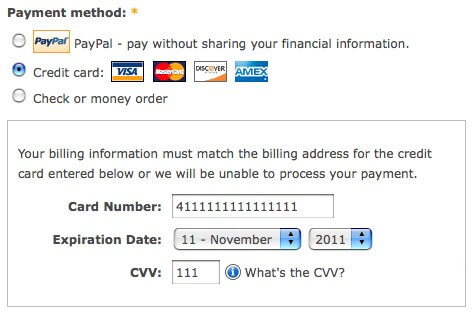
- Are your payment, shipping and other options clearly noted?
- Do you force shoppers to reconsider by making them create an account?
- Do you tell your shoppers how long the shipment will take in your checkout?
- If your checkout is several steps, do you control the flow and keep shoppers on track by removing distractions and highlighting the necessary action areas?
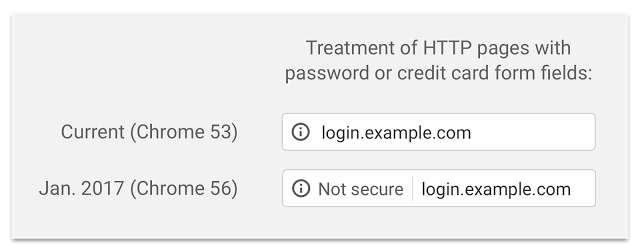
- Is your checkout secured with SSL? Do you have a broken lock?
- Do you bother your shoppers in checkout with pop up offers and other things to get them off track?
Step 4 Checkout Success:
- While this may seem obvious, you would really be surprised... But do you thank your shoppers after checking out?
- Do they get an order summary, shipping and customer service information on your checkout success page?
- Do they receive a TEXT email (for maximum deliver-ability) with their receipt and order information following checkout?
- Do you welcome your shoppers back with a coupon or loyalty program?
While this is certainly not meant to be a bible for your usability, it is rather intended to make you think and consider the fears, stresses and reasons shoppers leave your site. I find that many shop owners have never checked out on their own site.... and many more stumble to describe the navigation needed to direct me to a certain product. Certainly, you and your staff should know your website inside and out. Just think, if it's hard for you can you imagine your shopper's frustration?
-
- Posted by Melanie
- 19 September 2009
- Checkout, Small Business, So you want to be a Shop Owner Series, Store Development

Ecommerce Security
Maintaining the security of your shopping cart is an ongoing issue, it was before, it is now and will remain so. If you’re a small business with a website trying to break into this fresh, but competitive market, shopping cart software integrated to your website would certainly be a great investment. However, several issues will need to be addressed in your planning and maintenance budget. The more significant will be the issue of maintaining your shopping cart security. This help to protect the privacy and financial information of you and that of your shopper's.
Shopping Cart Security
Let’s begin with the basic concept of online shopping carts. Shopping carts are online software applications which facilitate visitors to make purchases by shopping on the Internet, which are generally paid electronically by some means. If you already have, or plan to have an online store, you will need a reliable and secure web host to host your shopping cart application. You also need shopping cart software that is easy enough to use and functional to your current and near future needs. Additionally, unless you house PHP programmers and web designers in house, you will need a company who develops shopping carts. Note that a developer is neither a programmer, nor a designer, but rather the person responsible for the project completion... Like a contractor, some things they will do and other things like custom programming and design they will have contracted parties complete for you.
A shopping cart at its most basic description is the added website functionality of a check out, which generates the total purchase, computes for the shipping costs, records the needed personal information and processes the payment to the chosen Gateway or online collection service you choose. The most commonly recognized security aspect of the shopping cart lies on the Secured Socket Layer certificate or SSL which encrypts the transmission of the personal information entered by customers up until the time the information reaches the payment gateway. The SSL is the responsible for making the pages address prefixed with “https”. Meanwhile, the payment gateway or credit cart gateway is receives the information, validates and charges the purchase on the credit card with their own software. Upon validation, you cart is notified and the transaction is complete.
It is important that you let your customers know that you have done your part to make the website secure and hack free. Never underestimate your shoppers. If they feel that something is not right with a your shopping cart, they will most likely leave without purchasing.
To most effectively do business online, you will not only let your shoppers know that you are secure, but practice what you preach as well. Keep your shopping cart, server software and other applications like email up to date ... always. Have your shop scanned quarterly for PCI/DSS compliance... If you accept credit cards, PCI compliance is not negotiable, but rather required.
Be clear and accurate about your shopping cart policies and guidelines. I know it might be tempting to use various legal and marketing tricks, but, you need to remember that your store's visitors are not experts and presenting them with a policy or guideline that is high complicated and overly difficult to understand will reflect on your business’ reputation.... Many will leave for an easier purchase at the next click.
We can only stress the importance of security in these kinds of ecommerce applications. I have heard, same as anyone else, stories of identity thefts before and so have your customers. Most consumers will be looking for shopping carts that can protect them from possible theft of credit card and personal information.
One of the most crucial pieces of a secure network is to use the services of well respected and secure service providers and web hosts. That being said, you may choose wrong early on, be ready to move your website if you need to. While many web hosting companies will make moving your shopping cart seem daunting and impossible... Its not and you have to do what is right for your business. Spend some time checking on theses service providers and get to know them.
The bottom line is, you must maintain a secure shopping cart for your customers. You have tons of valid and robust options at your disposal in the current market, so having an insecure or out of date network or cart is totally inexcusable.